The use case is mundane: show the products linked to an installation through a many-to-many relationship. You reach for the portal Web API, call the navigation path, and get an error instead of data.
Then the usual hunt in the wrong places begins: site settings, permissions, the spelling of the navigation property. The truth is more nuanced than "the Web API can't do N:M". This post shows two ways: what the portal Web API really can do (and where it stumbles) and how Liquid FetchXML solves N:M reads server-side. I reproduced both in the demo portal (enhanced data model, two custom tables Installation and Product with an N:M relationship). A third way – Server Logic (on-demand, server-side JavaScript) – gets its own follow-up post.
Way 1: Portal Web API – what it does and where it stumbles
The portal Web API (/_api/...) offers, per Microsoft, a subset of Dataverse operations: read, create, update/delete, and associate/disassociate. $expand is documented for single-valued (N:1) and collection-valued (1:N) navigation properties, the latter only one level deep. An N:M $expand example is missing from the portal docs entirely.
The solid, documented N:M catch is a Known Issue. Microsoft writes, verbatim:
"Users get a CDS error if they invoke a GET Web API request for tables that have multiple levels of one-to-many or many-to-many table permissions when Parental, Contact, or Account scopes add more conditions to the query. To resolve this issue, use FetchXML in the OData query."
That "use FetchXML" is the official way out – more on it shortly. What does work cleanly through the portal Web API is associating and disassociating N:M relationships via $ref (confirmed in the demo):
webapi.safeAjax({
  type: "POST",
  url: "/_api/pwrprtl_installations(" + installationId + ")/pwrprtl_installation_product/$ref",
  contentType: "application/json",
  data: JSON.stringify({
    "@odata.id": baseUrl + "/_api/pwrprtl_products(" + productId + ")"
  })
});
Takeaway: writing N:M (associate) via the Web API is unproblematic. Reading N:M conveniently via $expand is not – that's what the FetchXML path is for.
Way 2: Liquid FetchXML – Microsoft's own workaround
FetchXML resolves N:M server-side through nested link-entity elements, with the automatic intersect table serving as the join via intersect="true". In a web template:
{% fetchxml products %}
<fetch>
  <entity name="pwrprtl_product">
    <attribute name="pwrprtl_product_name" />
    <link-entity name="pwrprtl_installation_product" from="pwrprtl_productid" to="pwrprtl_productid" intersect="true">
      <link-entity name="pwrprtl_installation" from="pwrprtl_installationid" to="pwrprtl_installationid">
        <filter>
          <condition attribute="pwrprtl_installationid" operator="eq" value="{{ installationId }}" />
        </filter>
      </link-entity>
    </link-entity>
  </entity>
</fetch>
{% endfetchxml %}

<ul>
{% for p in products.results.entities %}
  <li>{{ p.pwrprtl_product_name }}</li>
{% endfor %}
</ul>
In the demo portal this returns exactly the products linked to an installation:
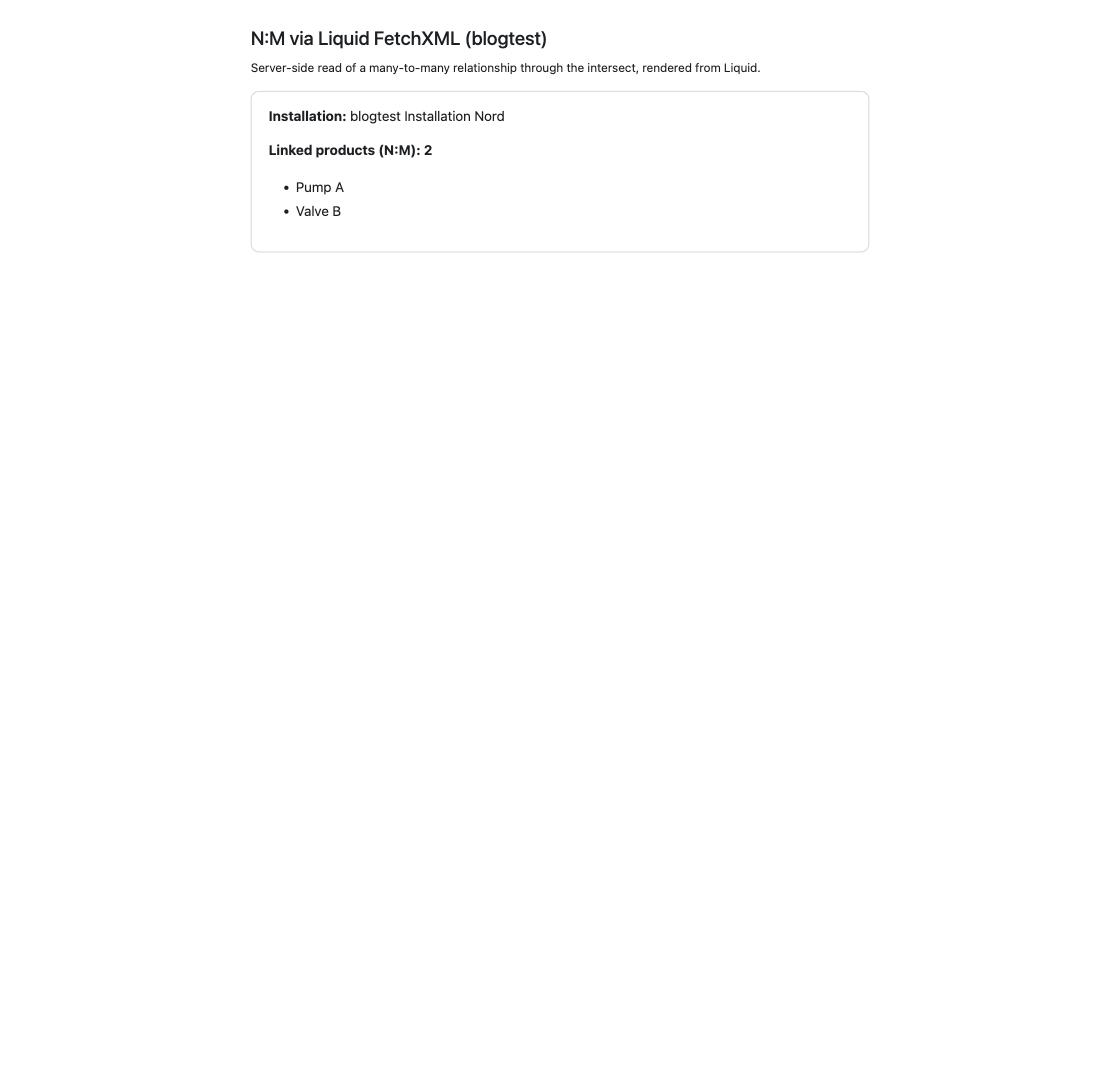
The trap that cost me time while reproducing this (and that will bite you the same way): Liquid FetchXML runs in the context of the signed-in user and respects their web role and table permissions. When I opened the page anonymously, it returned an empty list – no error, nothing. Only once signed in as a portal contact (with a web role that has read table permissions on the involved tables) did the data appear. So set read table permissions on the involved tables for the relevant web role; I also set a permission on the intersect table and didn't isolate whether it's strictly required – grant it to be safe.
Characteristic: the data is ready at page render (preloaded). Ideal when the list is visible right away anyway.
Decision guide
| Task | Recommended way |
|---|---|
| Read N:M, list visible at page load | Liquid FetchXML (link-entity/intersect) |
| Write N:M (associate/disassociate) | Portal Web API $ref (POST/DELETE) |
| Read 1:N / N:1 | Portal Web API $expand (one level) or Liquid |
The real lesson is less about "which way works" than about context: both ways respect the user's web role and table permissions. An empty result is therefore often not a bug in your code, but a missing permission or an unauthenticated user. Before you take the FetchXML apart, first check who the page is running as.
Coming up: there's a third way to fetch N:M data – Server Logic, server-side JavaScript the client calls on-demand (generally available since 2026). When it beats the preloaded FetchXML approach, and what to watch out for, is the subject of a separate follow-up post.
Related articles
Liquid FetchXML vs. Web API
The fundamental comparison of the two data-access paths – decision tree, performance, security.
Read article → SecurityPower Pages security architecture
Table permissions, web roles and scopes – the model behind the permission trap in this post.
Read article → SecurityWildcard in the Web API
Another Web API detail with security consequences: replacing the wildcard value in the field lists.
Read article →Sources
- Microsoft Learn: Overview of the portals Web API (operations subset, "Known issues": N:M GET error + FetchXML workaround, "follows the table permissions")
- Microsoft Learn: Read operations (
$expandfor N:1/1:N, "only one level of depth") - Microsoft Learn: Write, update, delete (associate/disassociate
$ref) - Microsoft Learn: fetchxml Liquid tag and link-entity / intersect
- Hands-on in the Power Portals demo portal: two tables with an N:M relationship, associate via
$refand N:M read via Liquid FetchXML reproduced live